Build it in card. Then cut it for real.

A quiet studio in your browser. Lay a sheet, cut, glue and photograph your model. Then take the cutting layout to the laser or the knife.

Open the studio

Free during the beta · no sign-up · iPad, Mac and PC browsers

On a phone? The studio is made for an iPad or a computer; have a look here first.

lay a sheet · cut along the rule · glue it to the board · turn the turntable · take the picture · send the layout to the laser · lay a sheet · cut along the rule · glue it to the board · turn the turntable · take the picture · send the layout to the laser · lay a sheet · cut along the rule · glue it to the board · turn the turntable · take the picture · send the layout to the laser ·
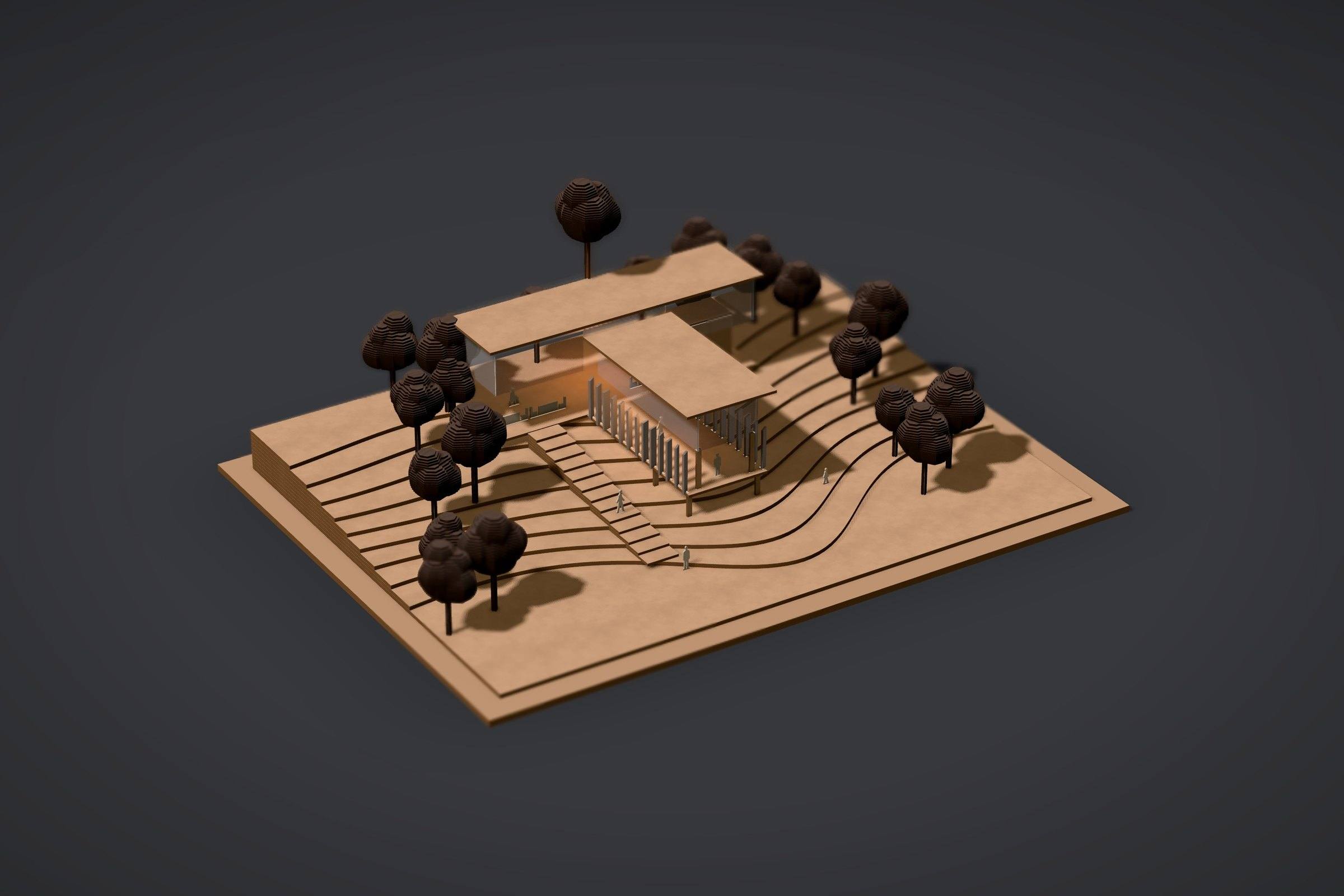
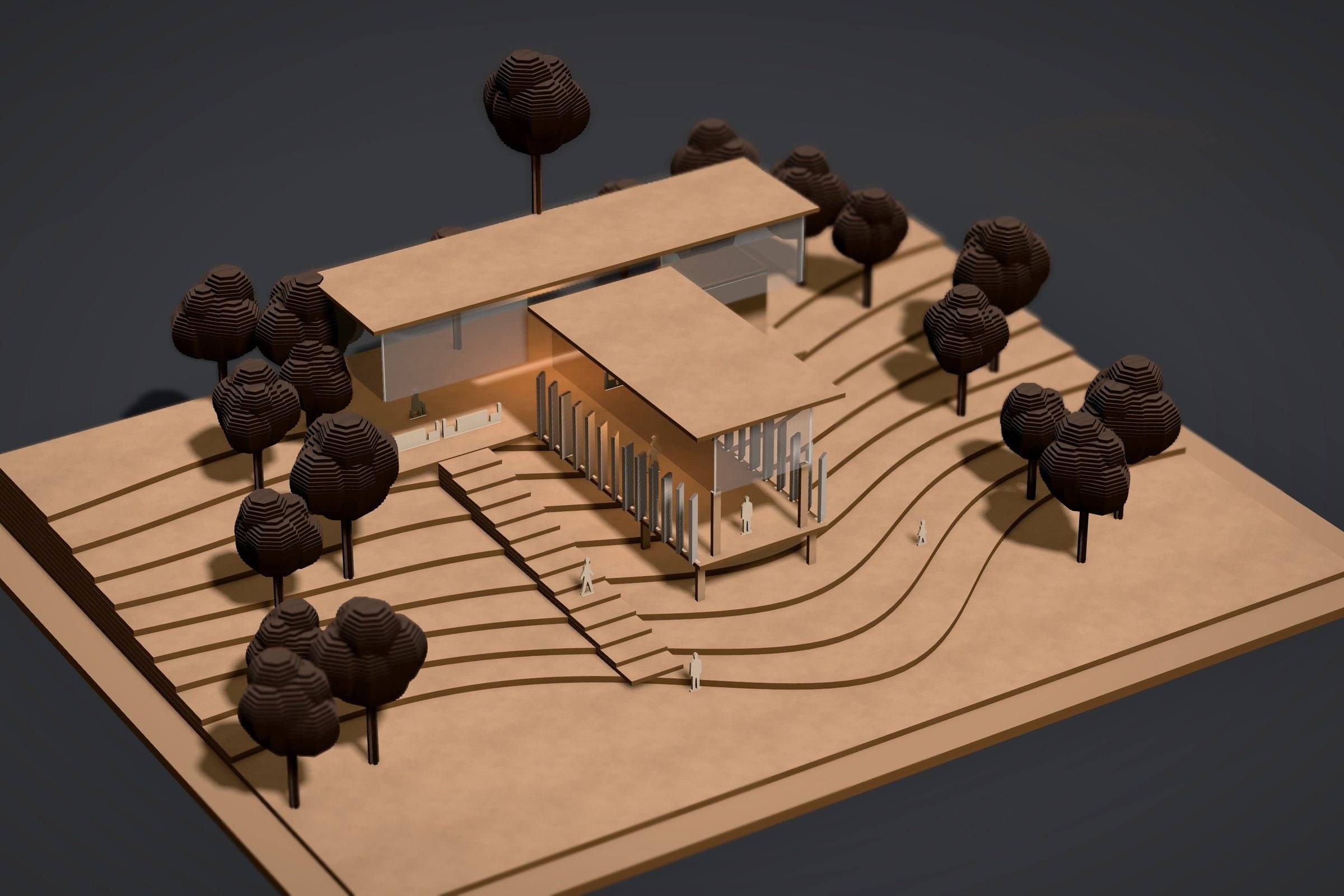
A kraft model of a hillside visitor centre on a spur of contour layers: a glazed café along the top and a narrow gallery running down the slope behind basswood louvres, dark trees around, warm light inside.

What is Greyboard?

Greyboard is a web app for making architectural models from virtual sheets of greyboard, white card, basswood, kraft MDF or acrylic on a white studio table. Every part is a flat outline with a real thickness, so the model you photograph is the model you cut: DXF and SVG for a laser cutter, an actual-size PDF for a craft knife.

Materials
11 sheets, real thicknesses
Scales
1:500 · 1:200 · 1:100 · 1:50
Export
DXF · SVG · PDF 1:1
Runs in
Safari on iPad, desktop browsers
Price
free during the beta

Try the knife. Pass after pass.

Draw the blade along the steel rule. Thick card takes several passes, as it does on a real mat and in the studio’s meditation mode, and the strip comes free on the last one. The number of passes is the studio’s own for each sheet.

Sheet

4 passes to cut through

One model, five unhurried moves.

  1. Lay a sheet

    Pull greyboard, card, basswood or acrylic from the shelf onto the cutting mat.

  2. Cut

    By hand with a steel rule and a knife: in one stroke in the work mode, pass after pass in the meditation mode. Or in the fast tempo, where a laser cuts the parts.

  3. Assemble

    Parts snap to the base board; butt or lap joints, a thin bead of glue that sets.

  4. Photograph

    Take the camera: seven light presets, from Dark studio to Section.

  5. Export

    The cutting layout on sheets: DXF and SVG for the laser, a 1:1 PDF for the knife.

    How it works, step by step →
1 2 3 4 5 6
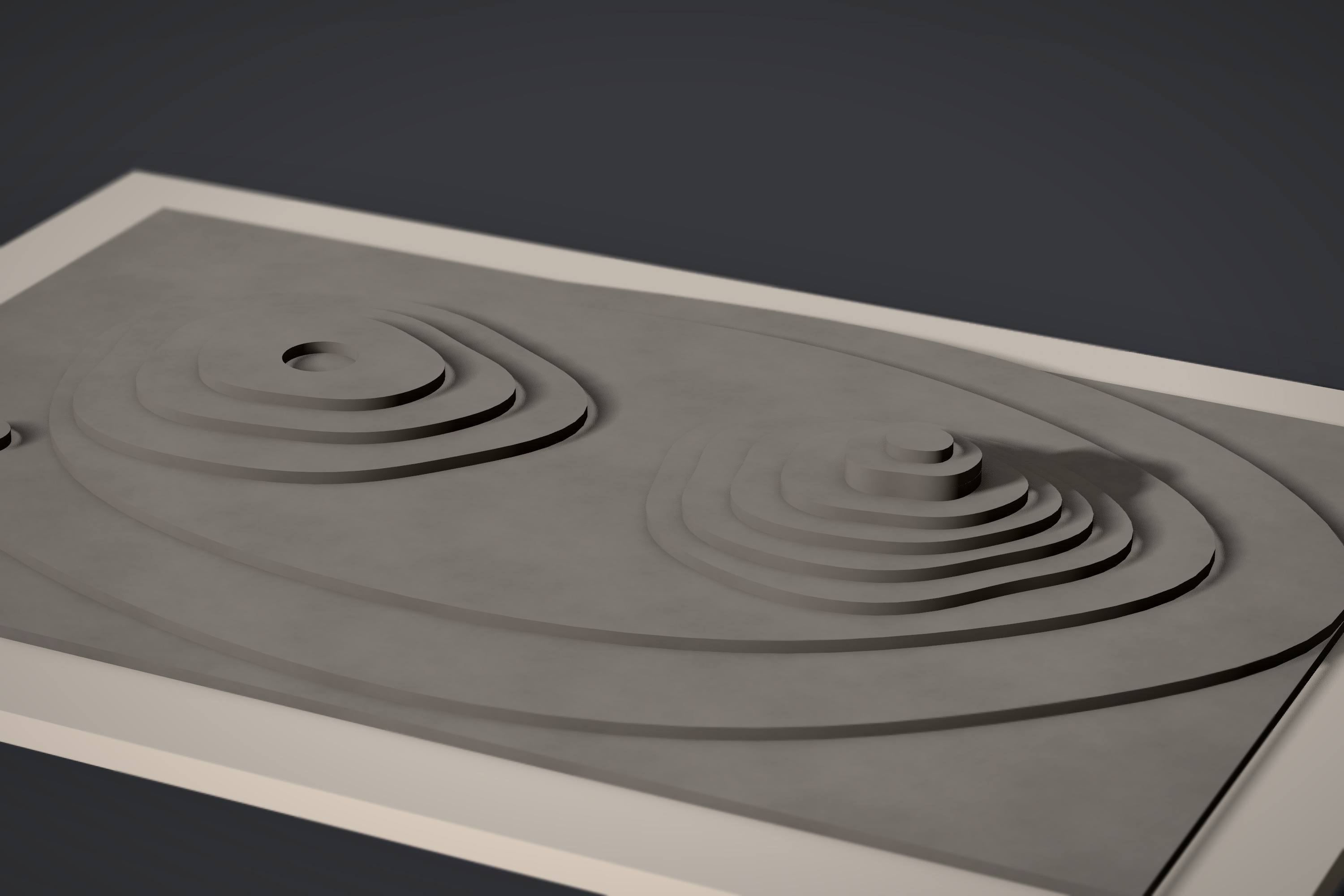
A hill terrain in greyboard built as stacked layers: each contour line is one 2 mm sheet, so the two hills rise in fine steps. Dark studio, low side light.

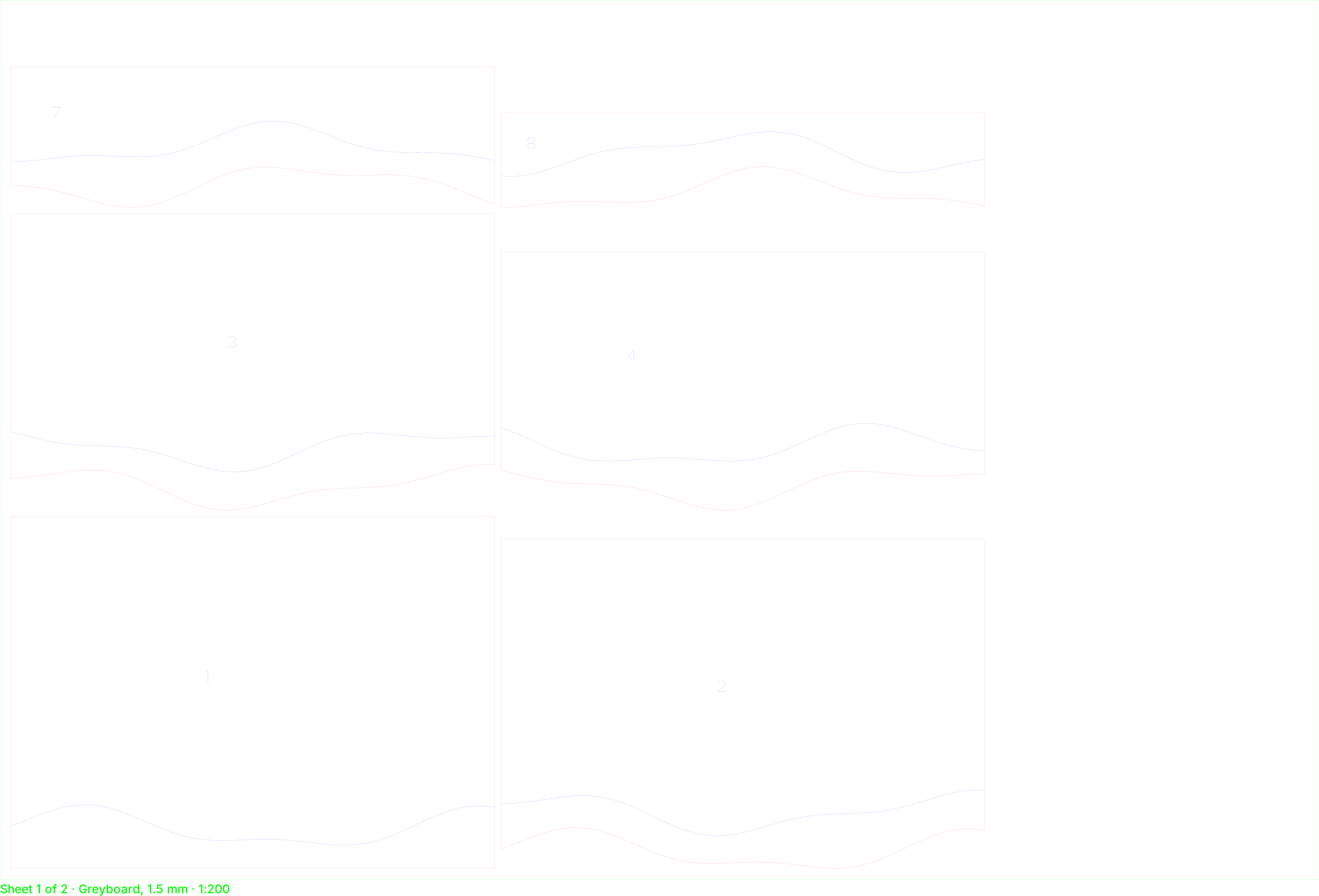
The picture is the cutting layout.

Most “model” images online are renders that could never be cut. In Greyboard a wall is a sheet of a real thickness, so the photo and the file for the laser come from the same geometry.

  • Thickness is always visible: 2 mm of greyboard at 1:100 is a 20 cm wall.
  • The studio warns, quietly, when a bridge is too thin to survive the cut.
  • Kerf, knife passes and the smallest part are set per material.
A real export, unedited: sheet 1 of 2 for a hillside, 6 of its 9 plates in 1.5 mm greyboard at 1:200 on a 600 × 400 mm sheet. Dark lines cut through; light ones are engraved: where the next plate sits, and its number. Download as exported: DXF SVG

Terrain from contour lines, without Rhino.

Drop a DXF of contour lines on the table. Each line becomes a plate of your sheet; the plates stand on a base board and are laid out on sheets for cutting, each engraved with the outline of the next one.

1 m
contour interval for 2 mm greyboard at 1:500
160 × 100 mm
an 80 × 50 m site at 1:500
3 ways
stacked layers, terraces or one engraved sheet
Make a terrain model from contours

Every session ends with a photograph.

Pick up the camera and the table turns into a studio: a curved paper backdrop, one lamp you move by hand, macro depth of field. Below, one model built in Greyboard, from one camera, in three of the presets: only the light changes.

Every session ends with a photograph.
The gallery on the spur at 1:100 in kraft, basswood louvres and dark wood trees, in the Dark studio preset: a soft warm key light on a dark backdrop.
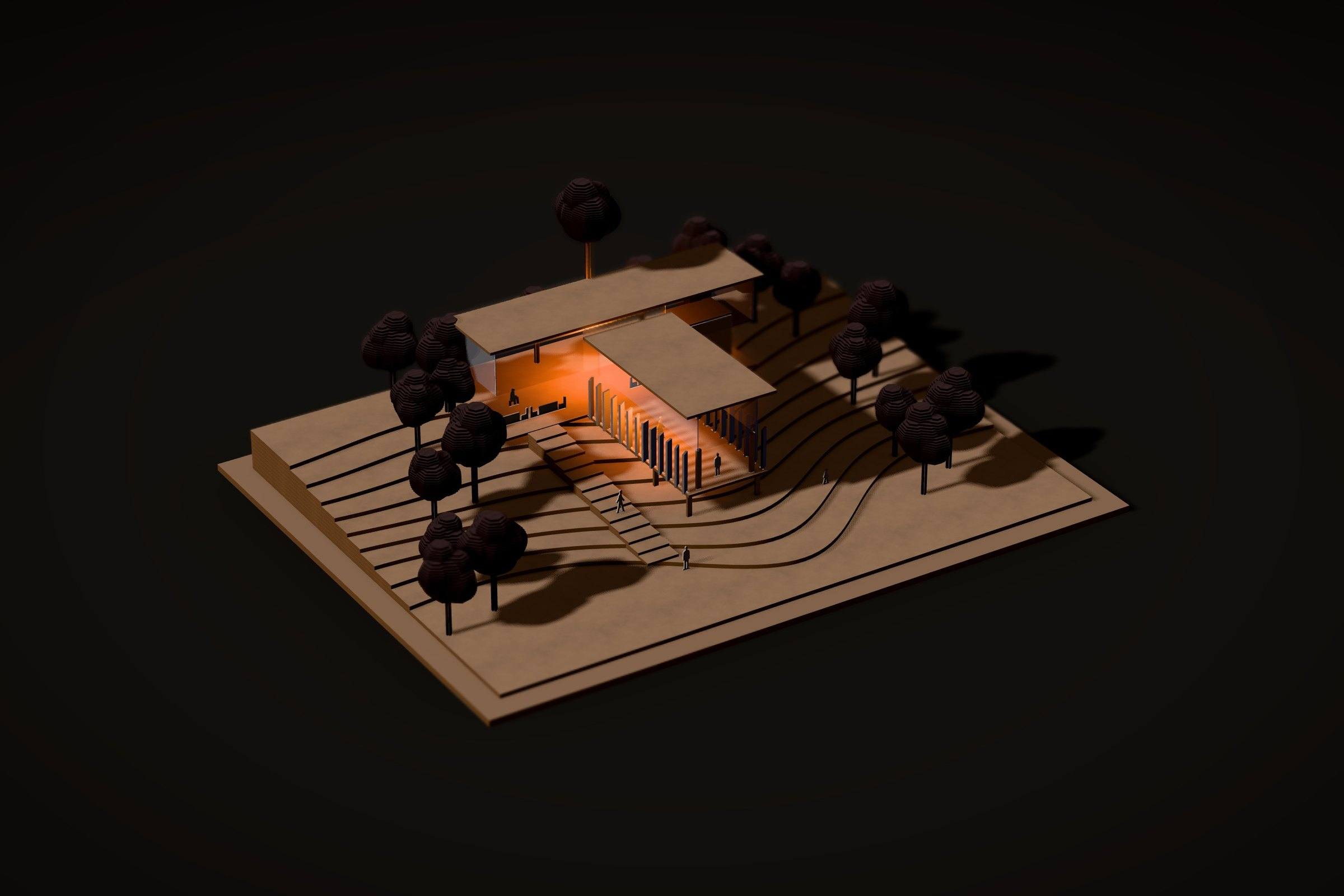
The same model from the same camera in the Evening preset: a weak cold light outside and the café and gallery glowing orange from inside.
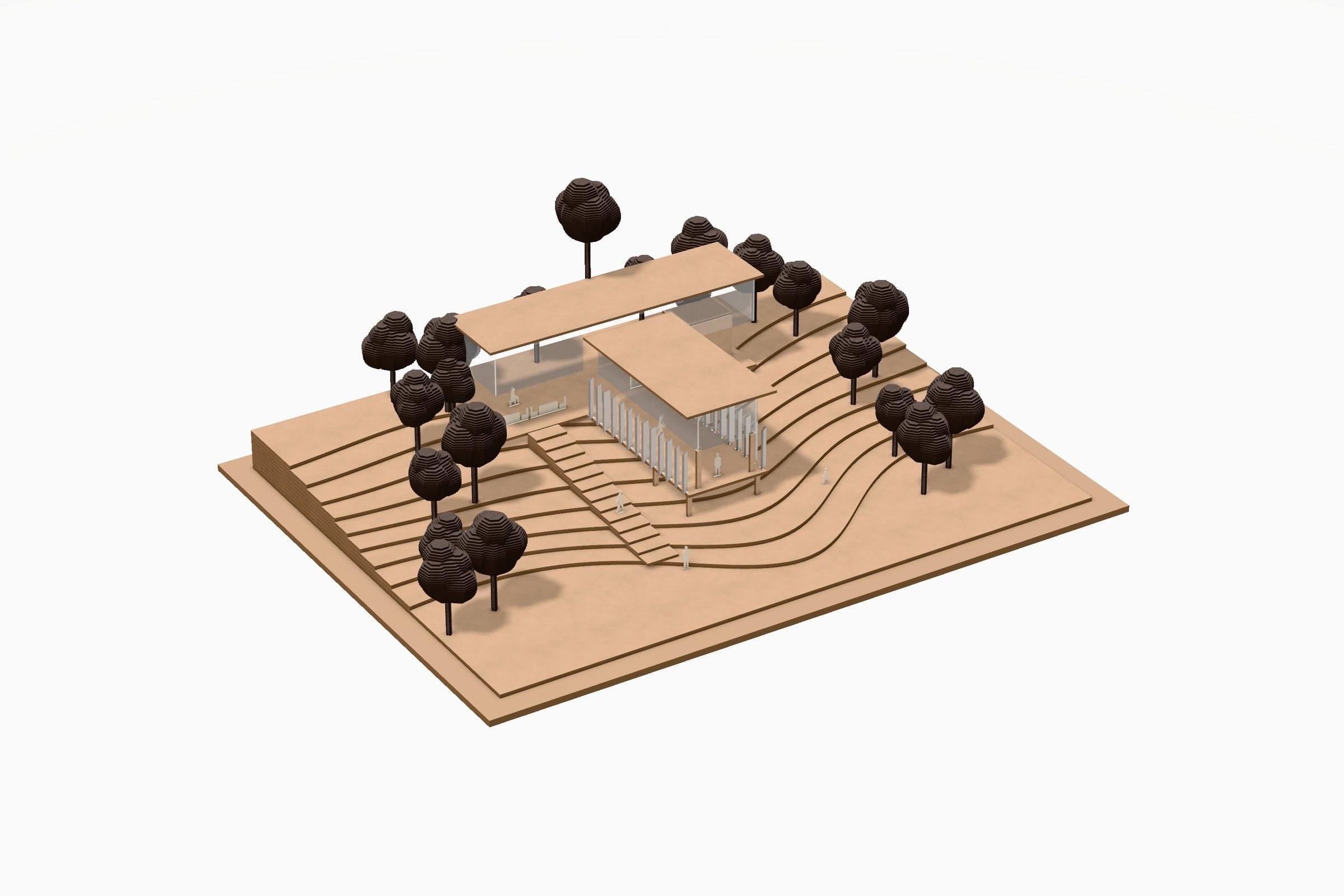
The same model from the same camera in the White world preset: diffuse daylight on a white backdrop and soft grey shadows.
See the gallery →

For people who think with their hands.

On iPad, with Apple Pencil.

Greyboard is drawn for the touch of a pen first: pressure is the depth of the knife pass, two fingers turn the board on its turntable. Safari on iPad, nothing to install.

Short answers to fair questions.

Is Greyboard free?

Yes. During the beta everything is free, including the export of cutting layouts, and there is no sign-up.

What files can I export?

DXF and SVG with CUT, ENGRAVE and LABEL layers for a laser cutter, and an actual-size PDF for cutting by hand, tiled on A4 or A3 with a 50 mm check square.

Which scales does it support?

1:500, 1:200, 1:100 and 1:50. Coordinates are kept in millimetres of the model, so a 2 mm sheet at 1:100 reads as a 20 cm wall.

Does it work on iPad?

Yes, in Safari, with touch and Apple Pencil from the first day; desktop browsers with a mouse or trackpad work too.

Clear the table. Start a model.

Open the studio

Free during the beta · no sign-up · iPad, Mac and PC browsers